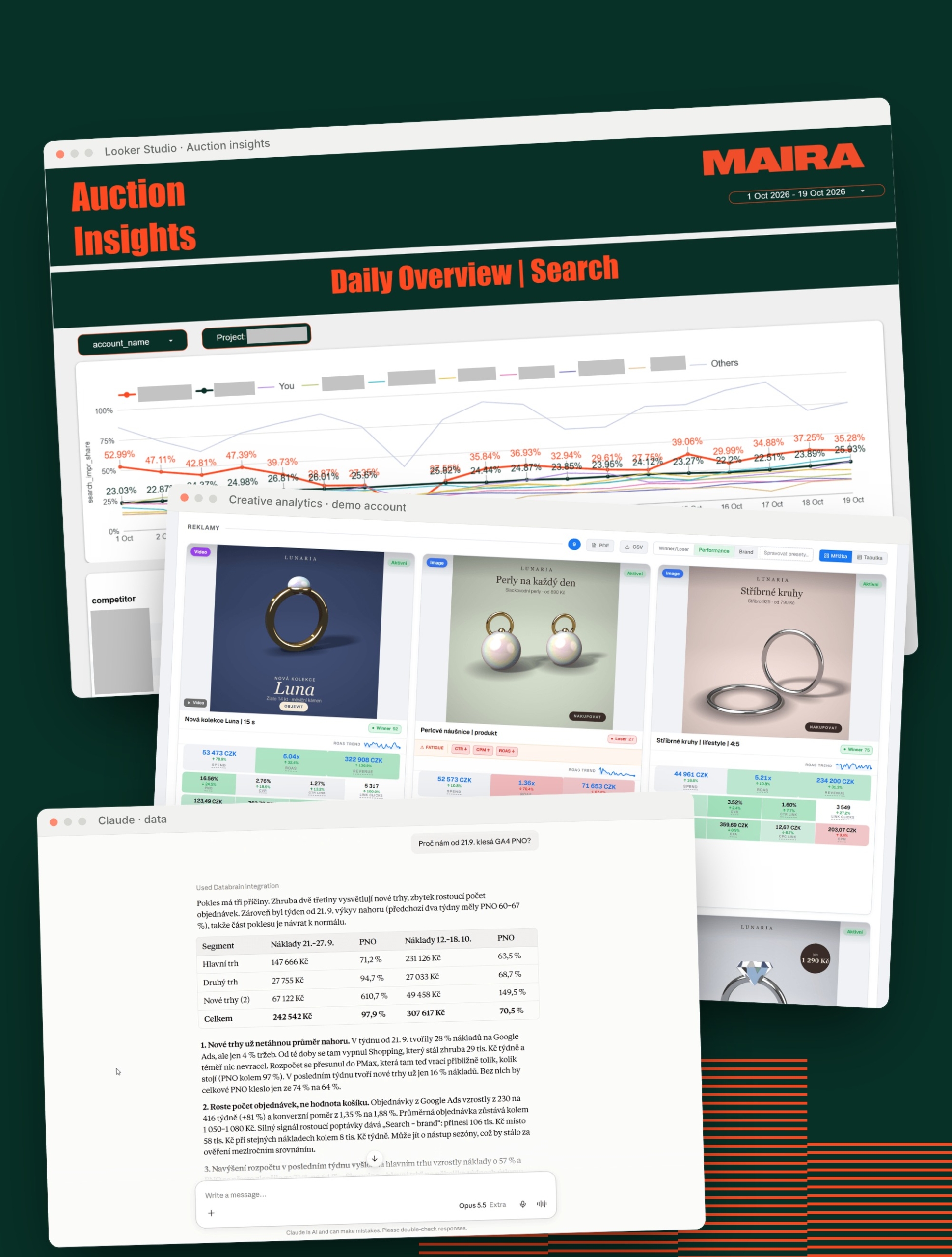
Our specialists are behind every campaign. Our own tools give them more accurate data and a faster overview, so they spend their time on the decisions that move campaigns forward.
-
46min
from brief to 12 quality-checked banners, demo store example
-
 38
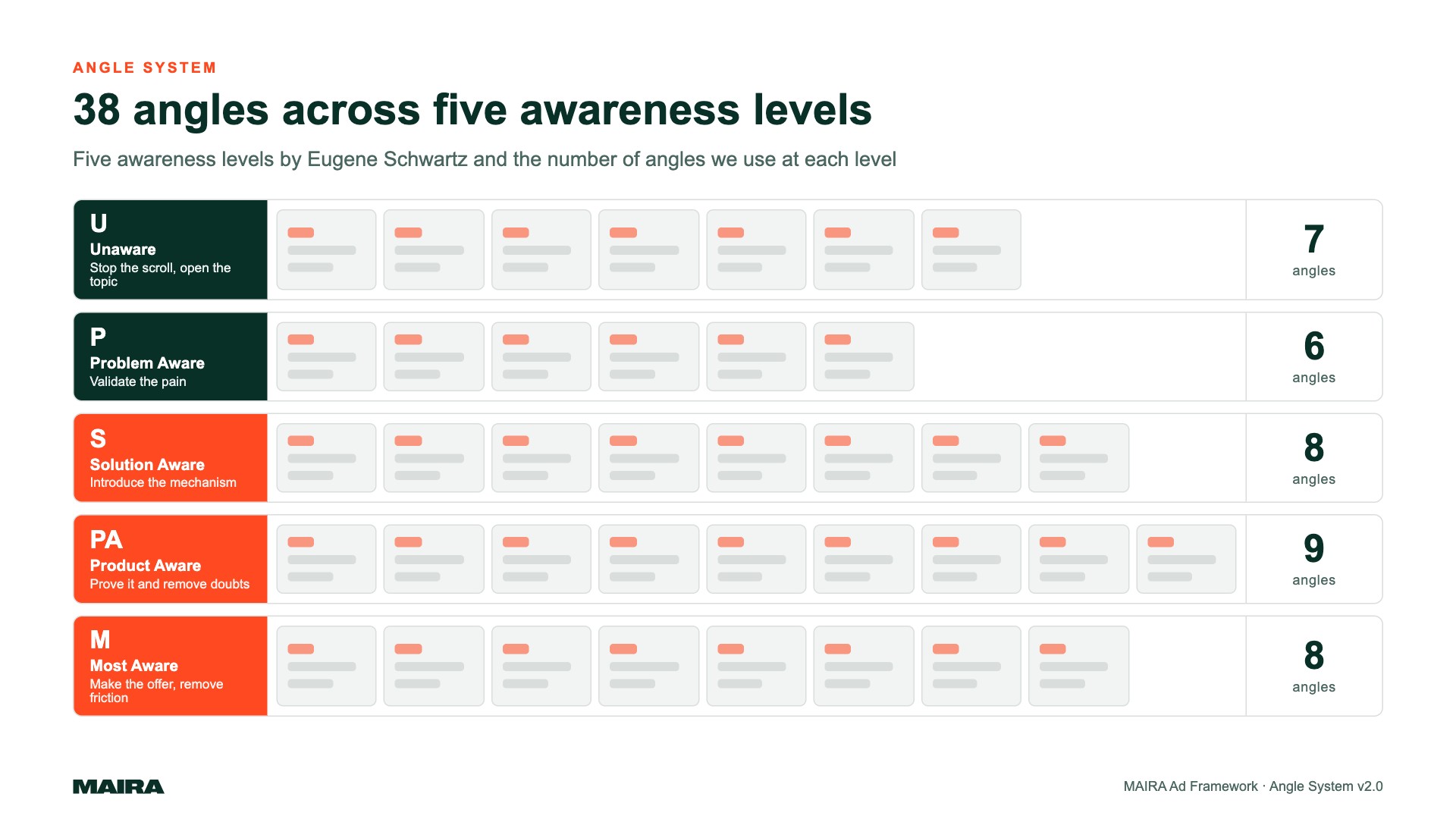
38ad angles in our methodology for building creatives
-
4
data sections in one reporting template
-
 0
0manual exports to Excel
Tools we use every day
Custom reporting
Marketing, e‑shop and Google Ads auction data in one Looker Studio template, refreshed every day.

Creative analytics
Every Meta ad next to its results, with a score and an early warning on creative fatigue.

Creative production
From customer reviews to finished banners, with automated quality checks.
AI on your data
With an AI assistant, our specialists get to the “why” faster. A person approves every change in the account.

Performance cockpit
Plan versus actual by market and channel, with a concrete change suggested in the account.
AI agents and apps
Agents that prepare groundwork for our team on inbound leads and tracking audits. Plus three standalone apps.
One template. Your whole business.
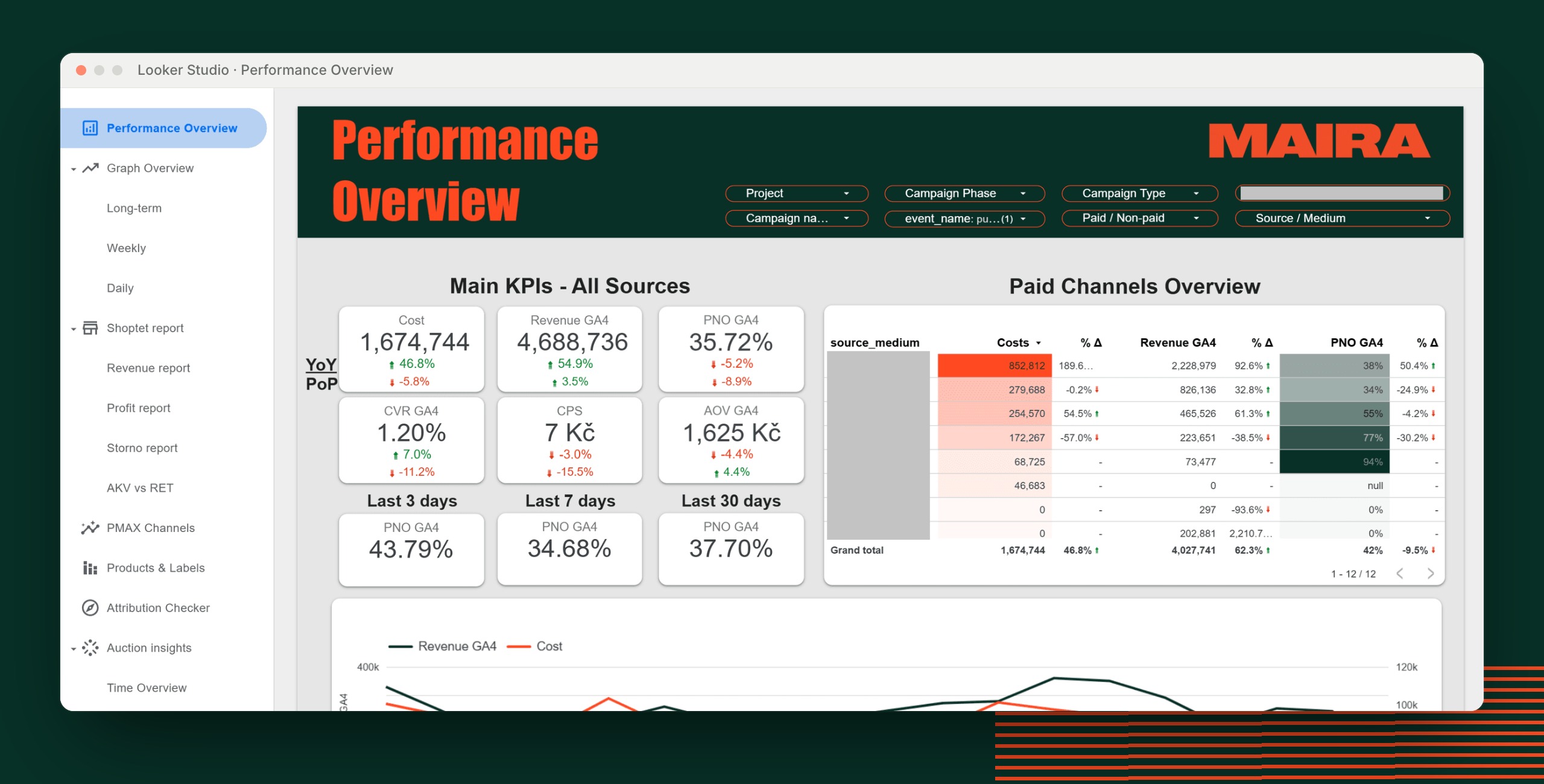
We do not build dashboards from scratch. You get a proven Looker Studio template with four sections, each fed by its own data pipeline that runs daily on its own. We connect it to your accounts, stores and markets. Take only the sections you need, and they all use the same metric definitions.
All your marketing on one screen
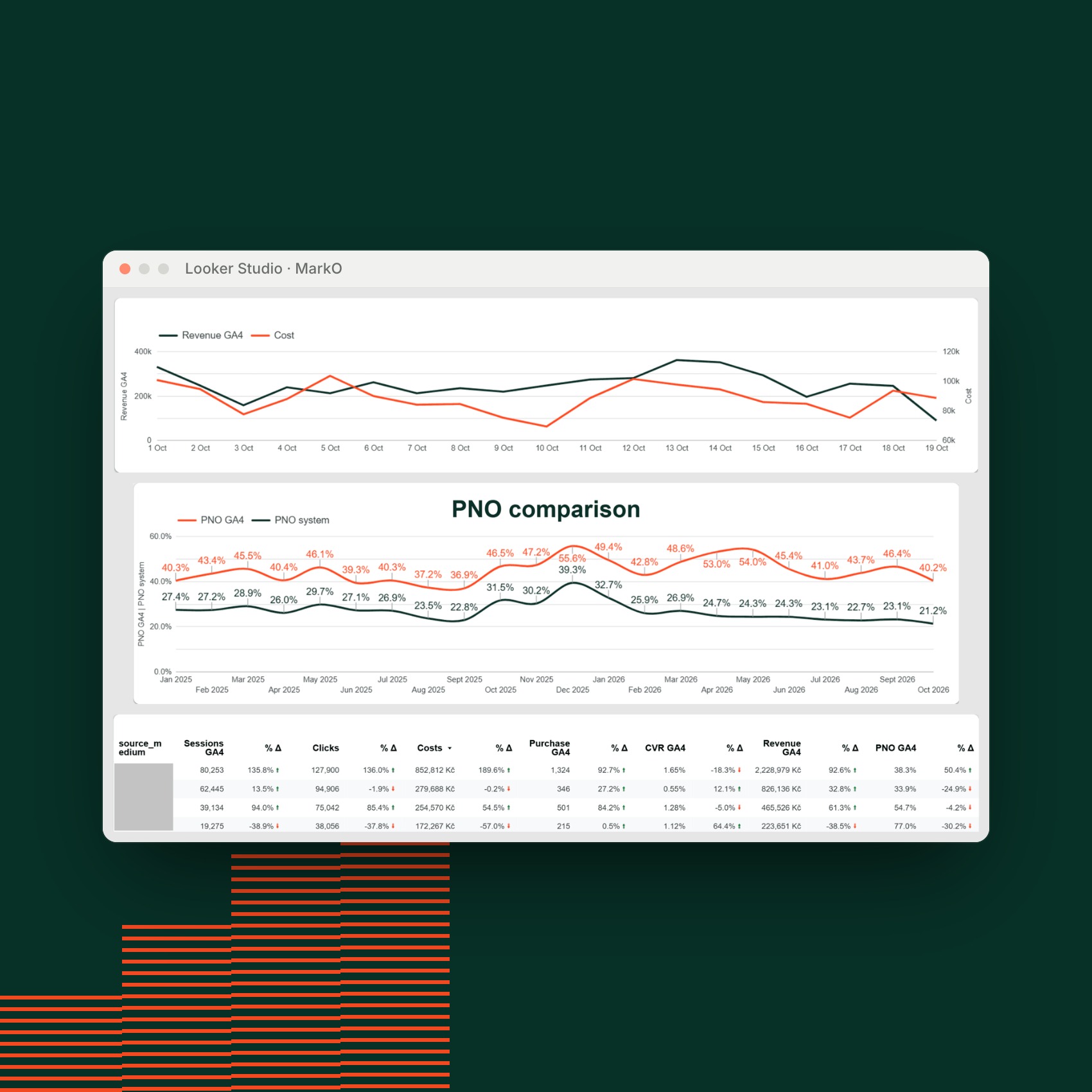
Google Ads, Meta, Sklik, comparison sites and email in one table and one currency. You see conversions in two views side by side: as the ad platform reports them and as GA4 sees them. The gap between the two is often the most interesting number in the report.
- Spend, clicks and impressions across channels, accounts and campaigns
- Campaigns grouped by funnel stage and type
- Multiple currencies in one report, no manual conversion
From the whole store down to a single SKU
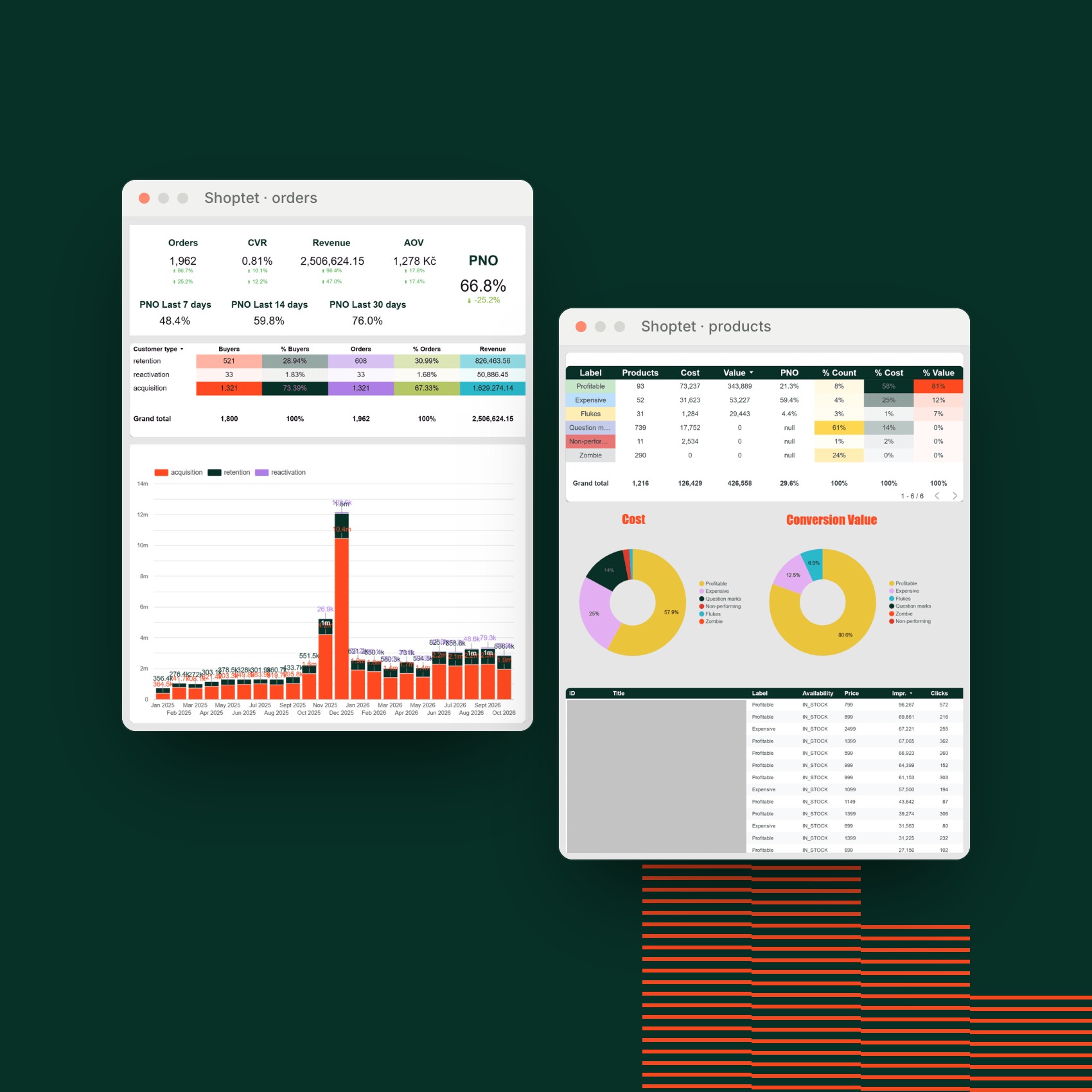
Orders, line items and daily product history straight from Shoptet, including purchase prices. That is why the report shows margin, not only revenue.
- Every order tagged as acquisition, retention or reactivation
- What drives revenue and what erodes margin, by SKU and by category
- Daily history of prices, promotions and availability next to units sold
Customer emails never appear in the report in readable form.
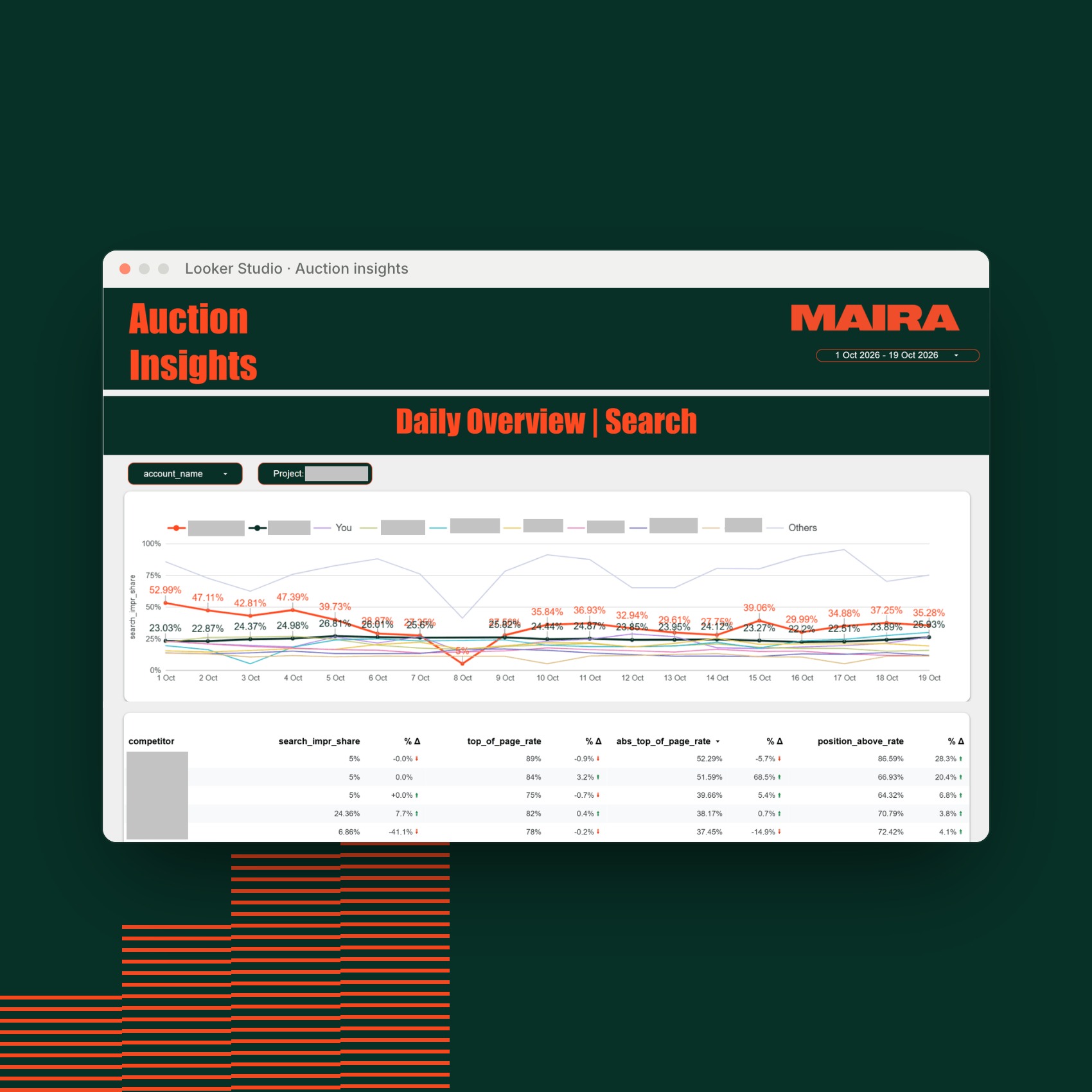
Who is bidding against you
Auction insights normally stay locked in the Google Ads interface. We pull them automatically and show them in the report next to your own performance, daily, weekly and monthly.
- Competitors by name, in Search and in Shopping
- Impression share, top and absolute top of page rate
- Values reported as “< 10%” are flagged and do not distort your averages
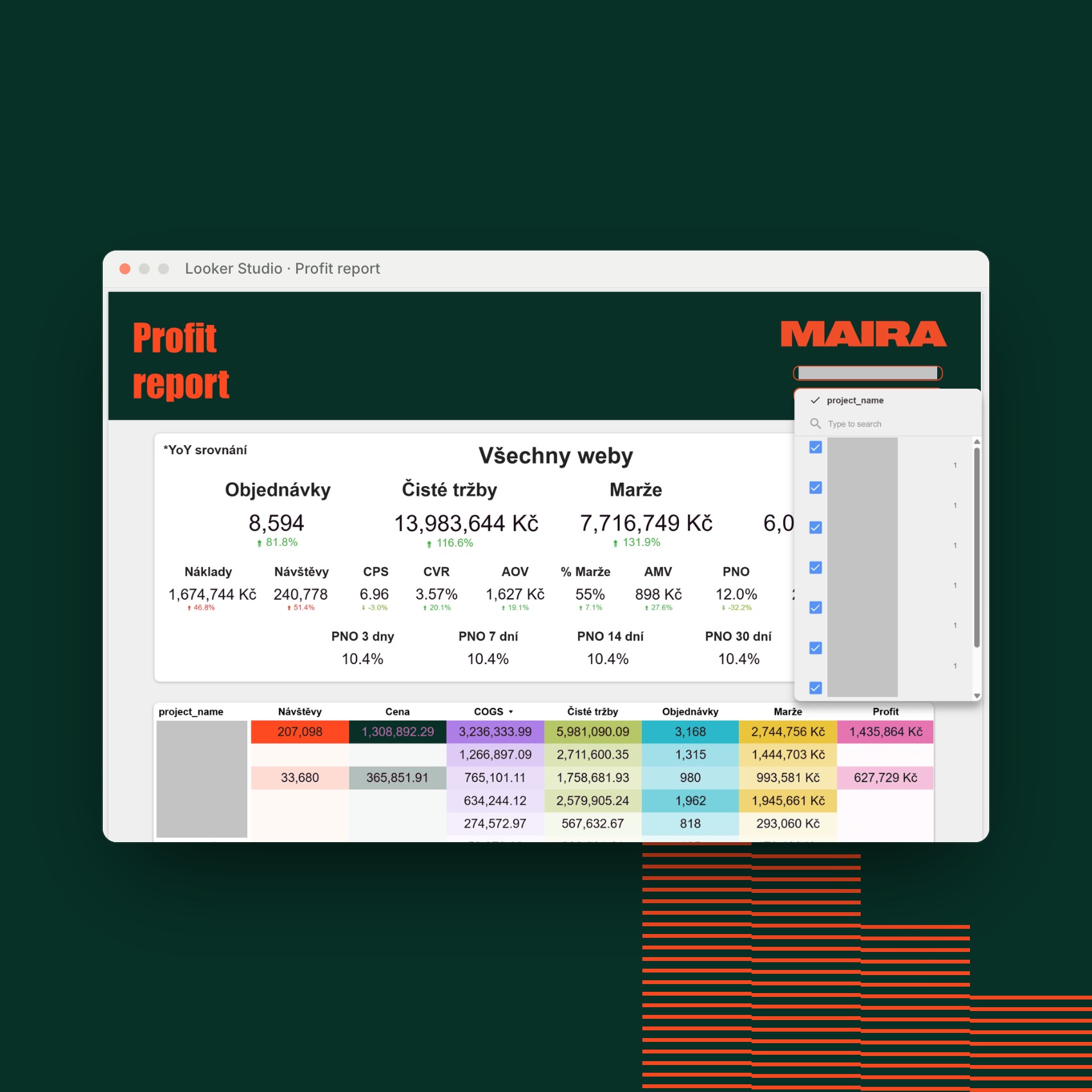
More stores, markets and brands. One report.
Every row of data knows which project it belongs to. Switch the filter on to see one market, switch it off to see the total for the whole group.
- One link for the whole group
- Drill down to a store, market or brand without leaving the report
- The same metric definitions and currency conversion across projects
Which creatives make money. And which are worn out.

Spot the winners at a glance
- Winner, OK or Loser. A score based on how each creative performs against the others, in performance, brand or lead mode.
- No winners by chance. Below 100 clicks or 3% of spend, an ad is labeled “not enough data”.
- Fatigue before ROAS drops. It tracks CTR, CPM and ROAS over the last 30 days and shows the reason.
- 0 to 100 score for every creative
- 2 of 3 fatigue signals trigger a warning
- 2 to 4 creatives compared side by side
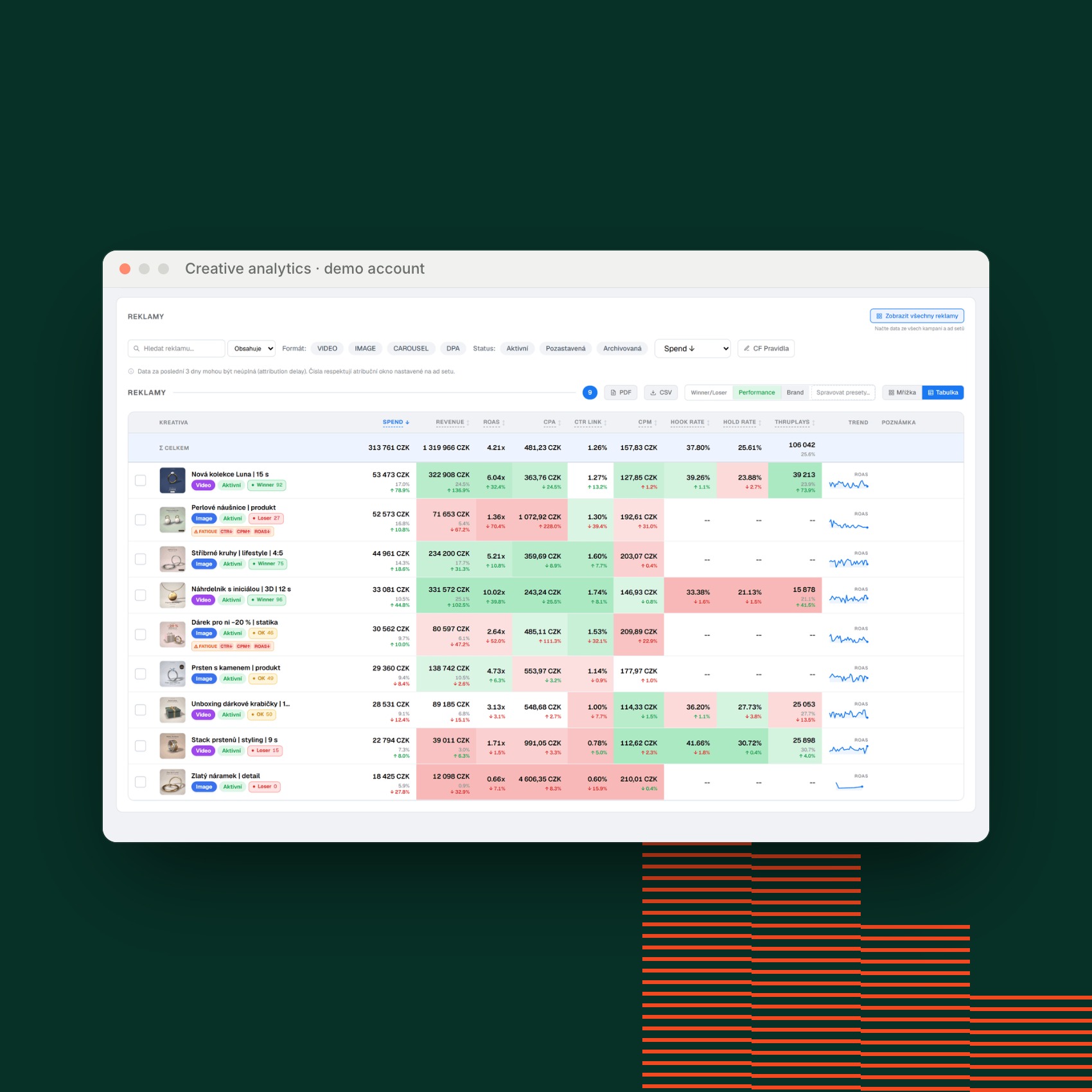
Video, Advantage+ and your own conversions
Metrics adapt to what a result means for you: a purchase, lead, app install, registration or application. Each user picks their own columns.
- Hook rate, hold rate, ThruPlay and quartile view-through
- Advantage+ broken down into individual texts, headlines and formats
- Export to CSV or PDF, thumbnails included
Shown on a demo account with made-up data and creatives.
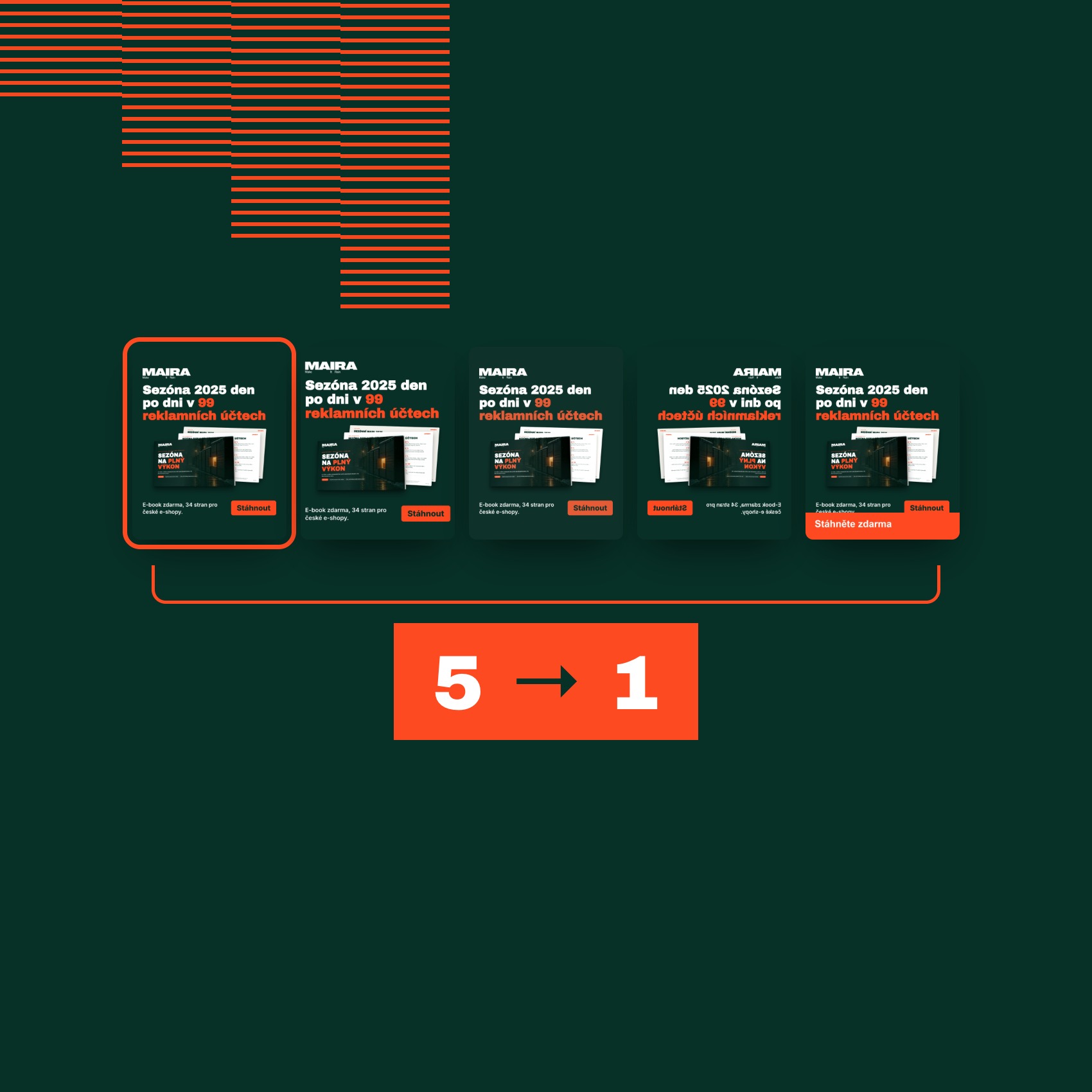
How many different ads do you really have?
A crop, a new color, a mirror image or a new text strip. In the account these are four new ads, yet Meta may treat them as one when delivering. Our tool scans the whole account, merges such variants into one visual and shows how many truly different concepts and angles are running and where the budget goes.
- Ads, visuals, concepts and angles in one overview
- Spend for every group
- A list of angles missing from the account
Banners built on customer data, checked in detail
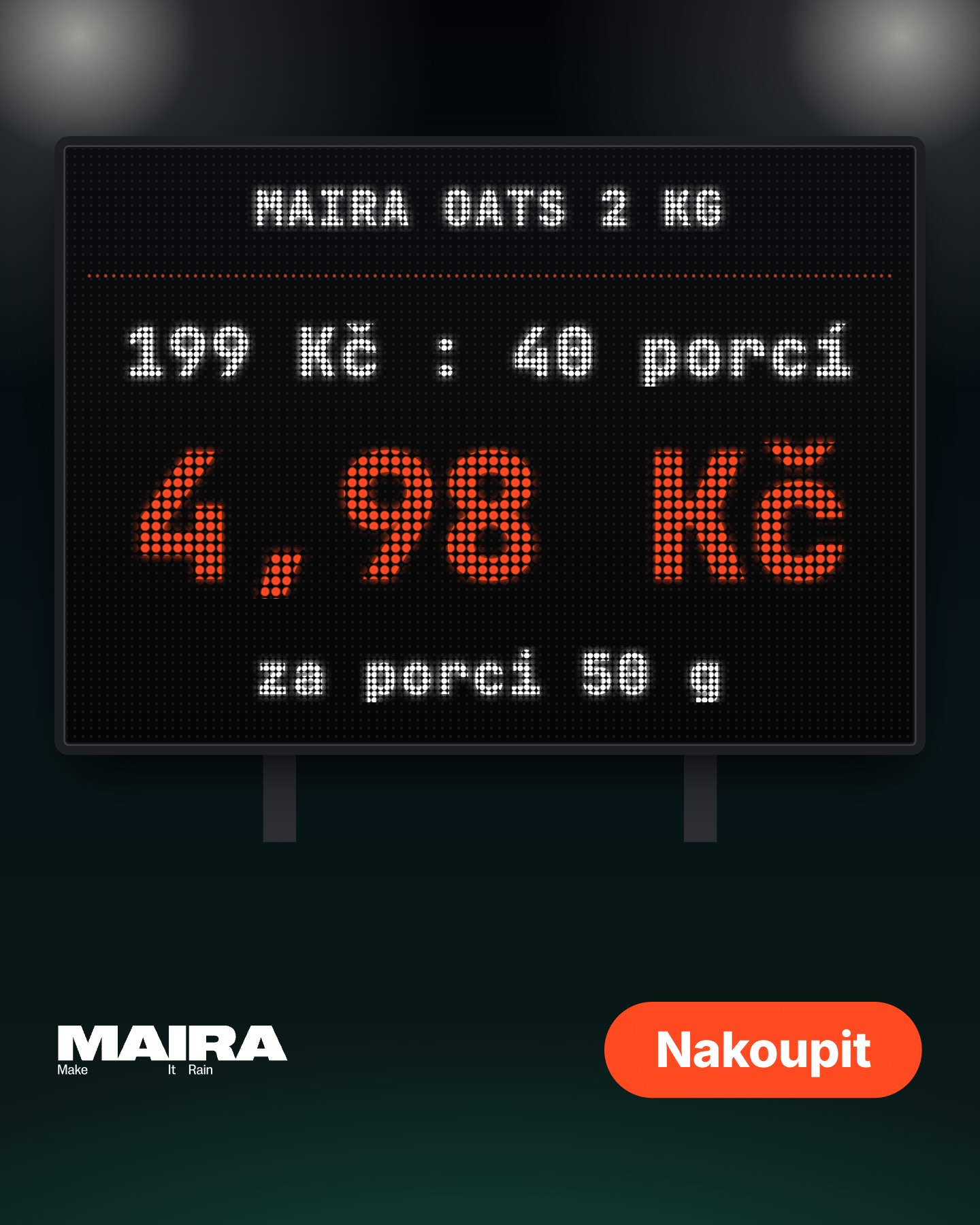
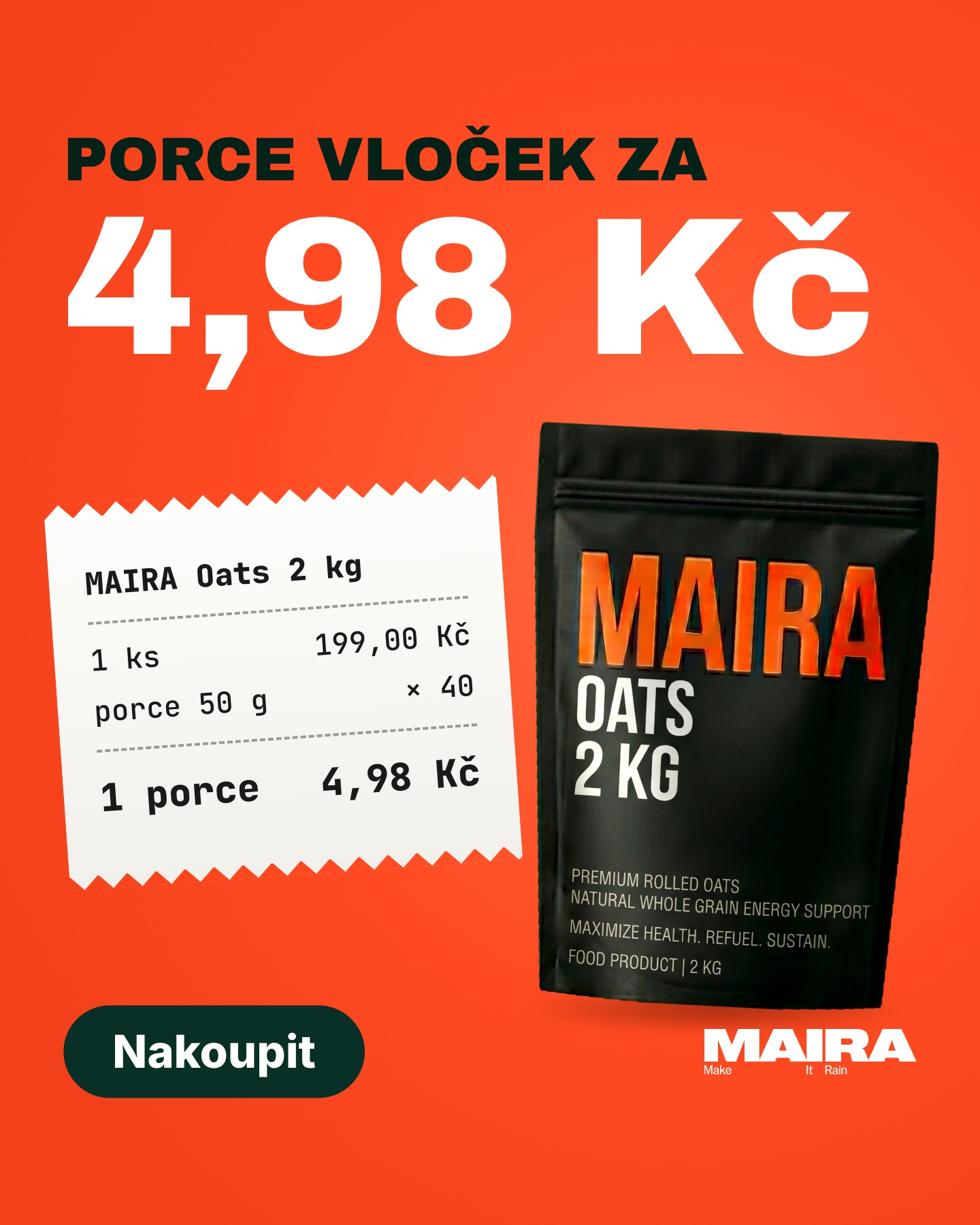
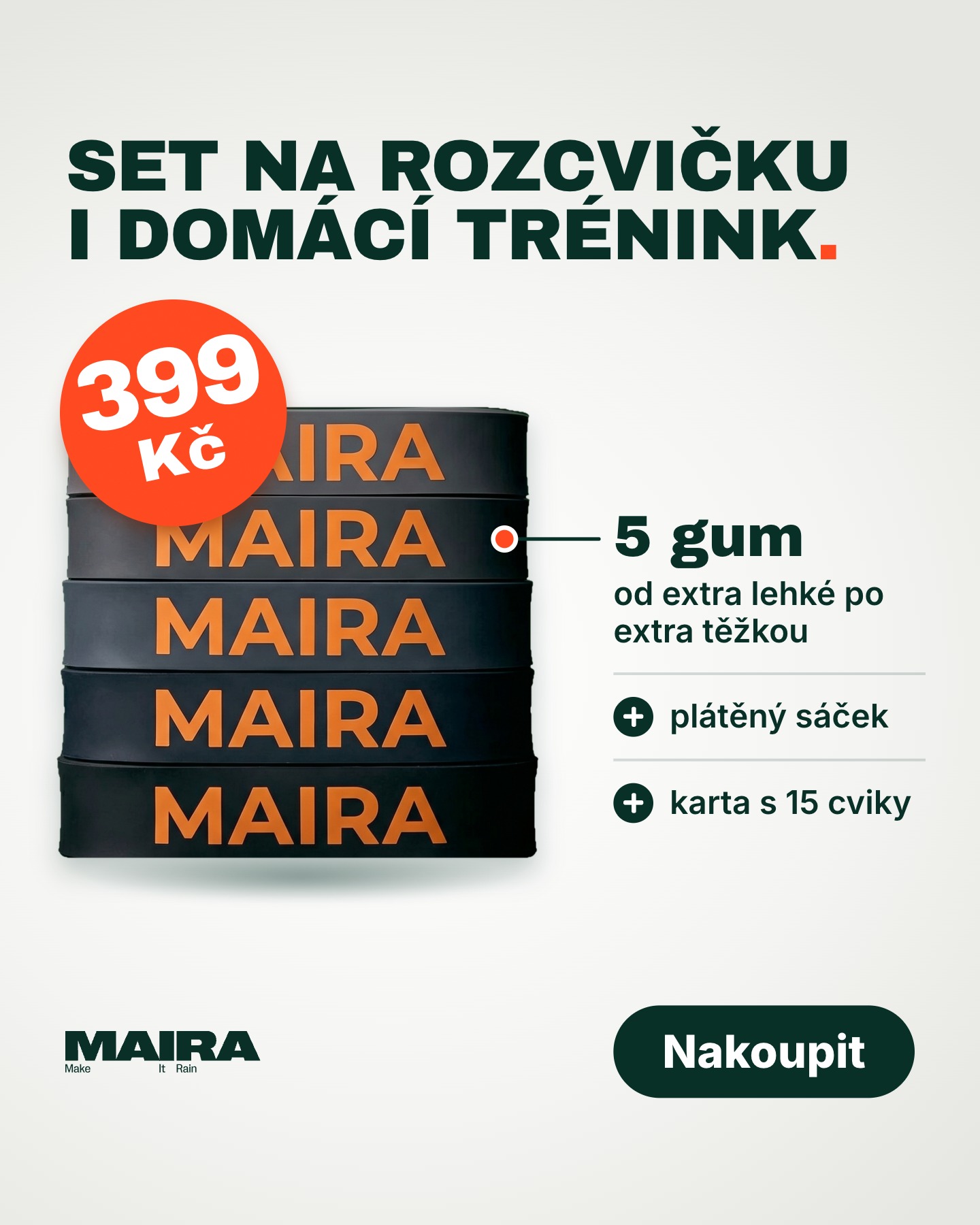
Our specialists pick ad angles from reviews, customer questions and gaps in competitor ads, following our own 38-angle methodology. A person approves the copy, then our tool renders the banners and checks them: Reels safe zones, contrast, text length and diacritics. That lets our specialists focus fully on choosing angles and testing.
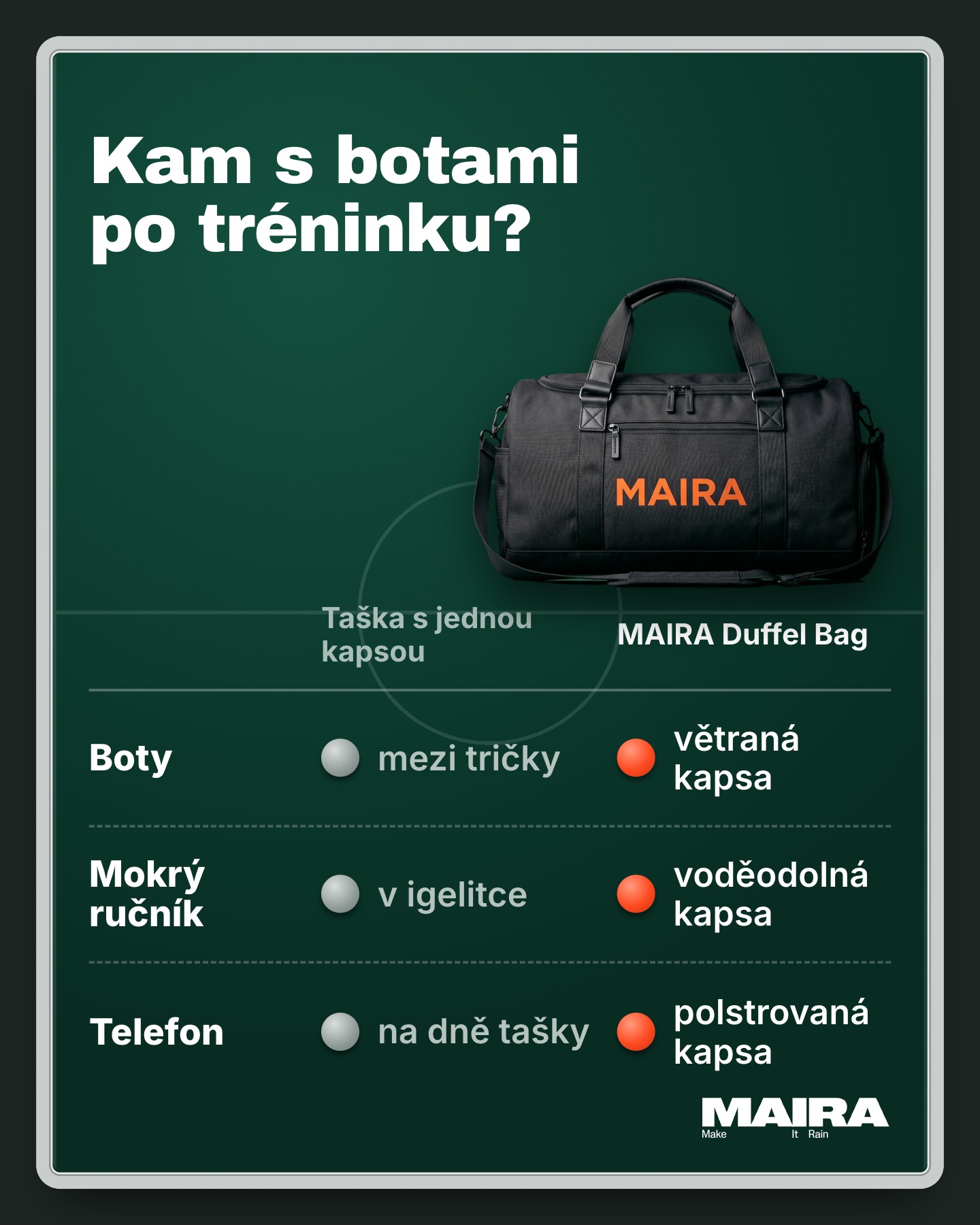
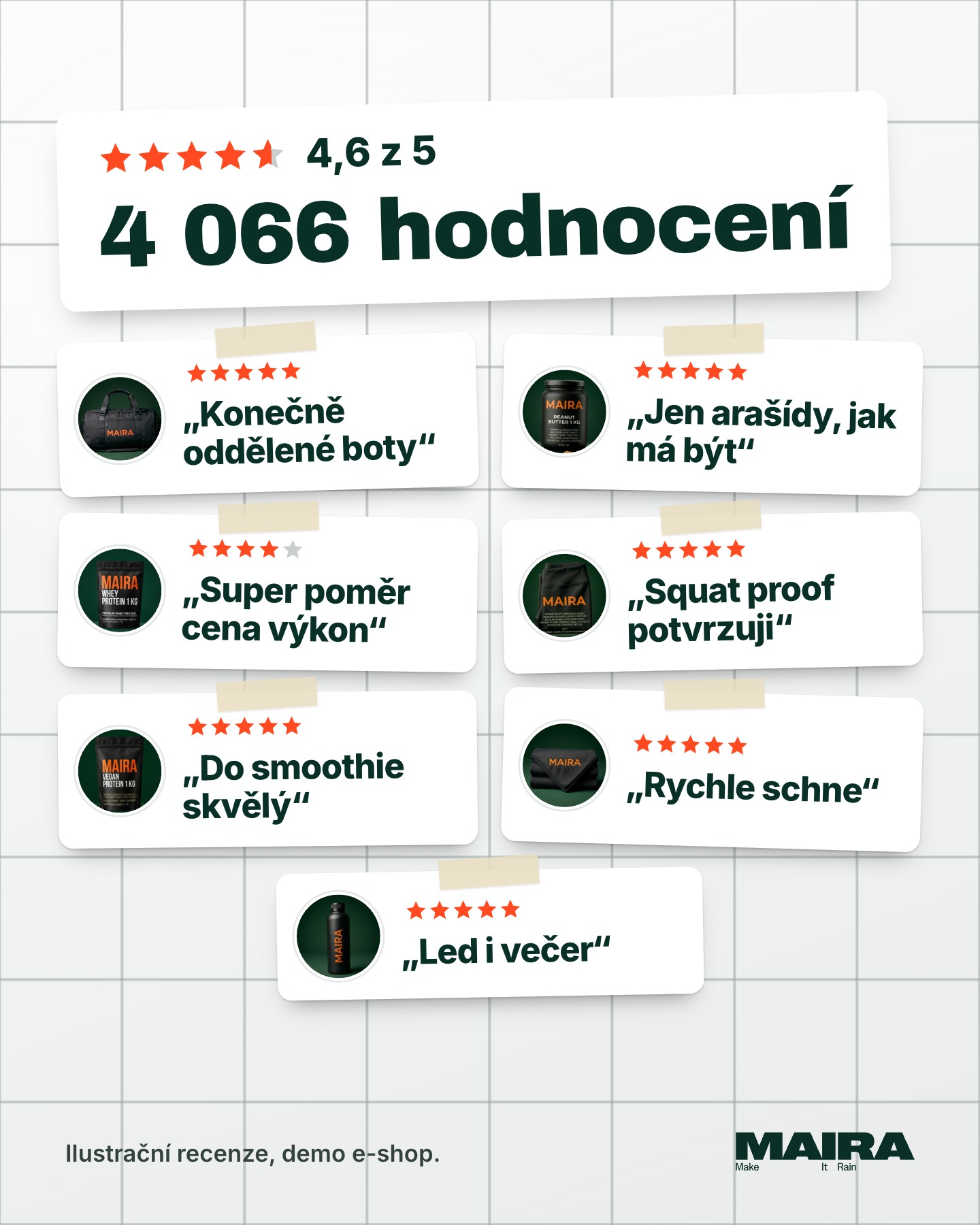
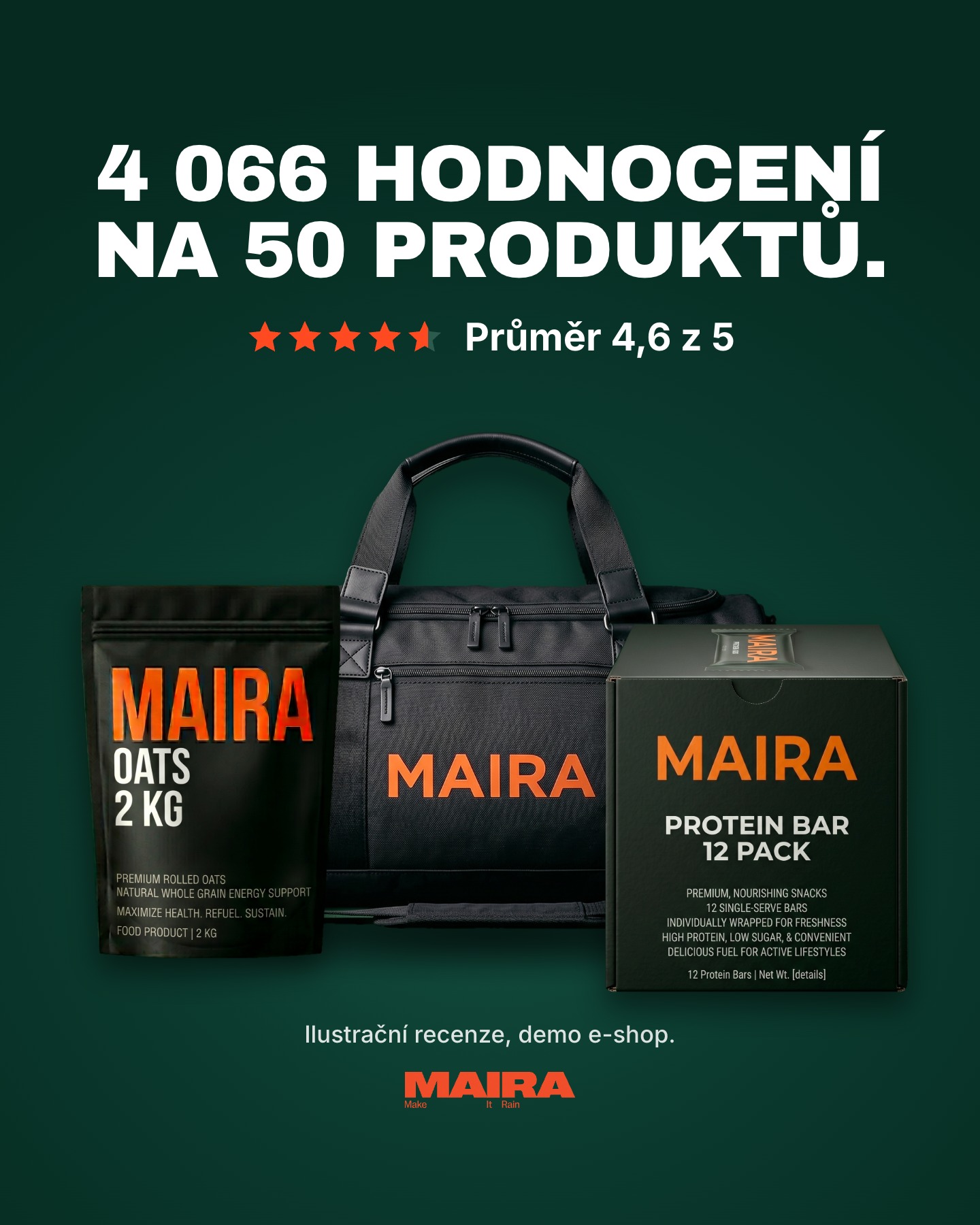
Demo store example, MAIRA Shop: 50 products and 4,066 ratings, 6 angles picked out of 38, 42 Meta ad texts, 12 banners, 69 checks and 0 errors. 46 minutes of real time in total.



38 angles across five awareness levels
Every creative starts with one question: who is it talking to? People who are not yet aware of the problem, or people already comparing your product. We score the angles with data, and every test runs two different executions.
Faster answers to “why”
A report tells you what happened. Our specialists answer why, and with the AI assistant Claude connected directly to Google Ads, Meta and GA4 data, they reach an answer backed by numbers faster. The assistant only proposes changes in the account, and a person approves every one.
Running internally, client version in preparation. The examples come from our Czech accounts.
Why is our cost of sale falling? An answer with numbers
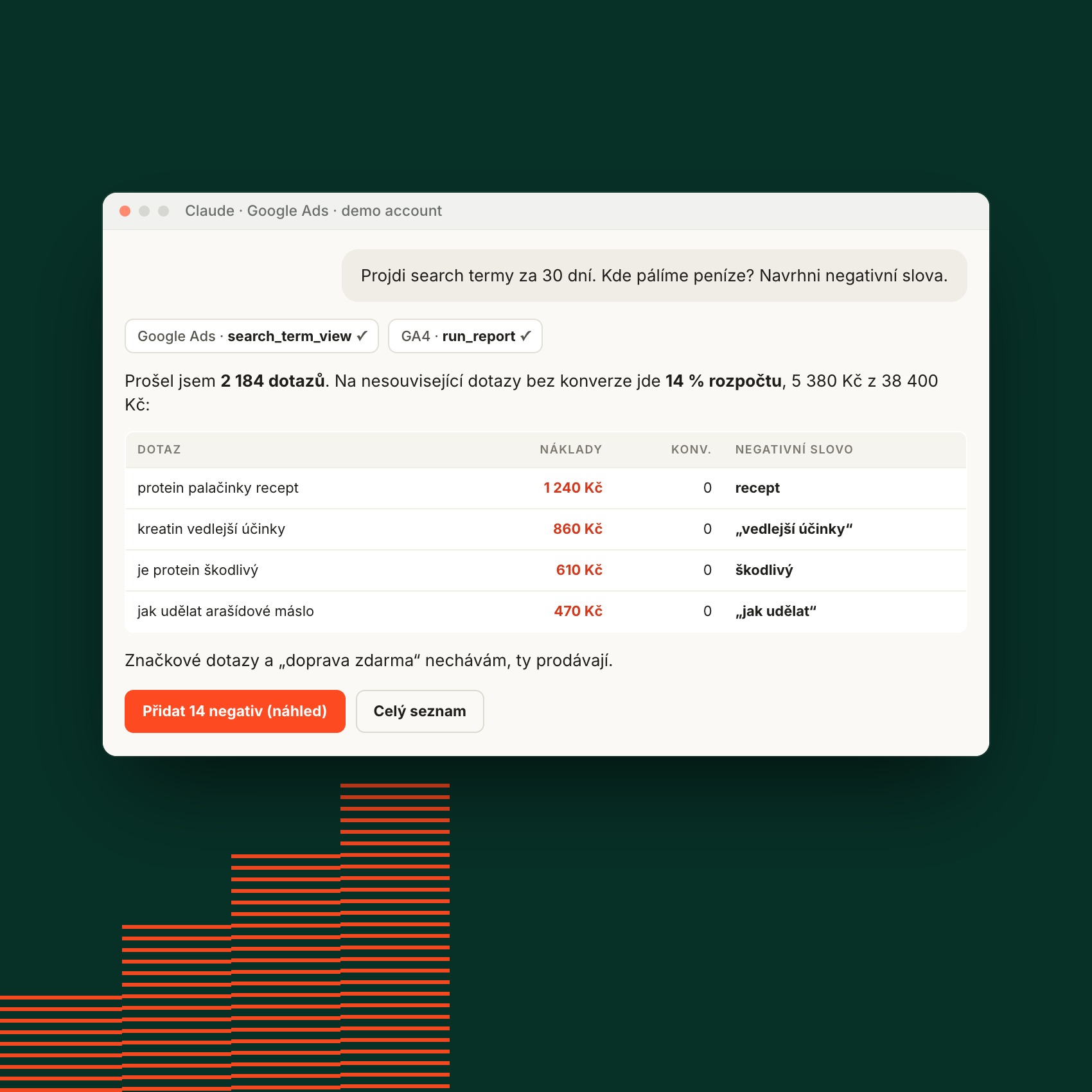
A person approves every change
The assistant goes through search terms, finds the ones that spend without converting and proposes negative keywords. Only what you approve is written to the account.
- Each keyword comes with its cost and the reason
- Brand and converting queries stay untouched
- Shown on a demo account
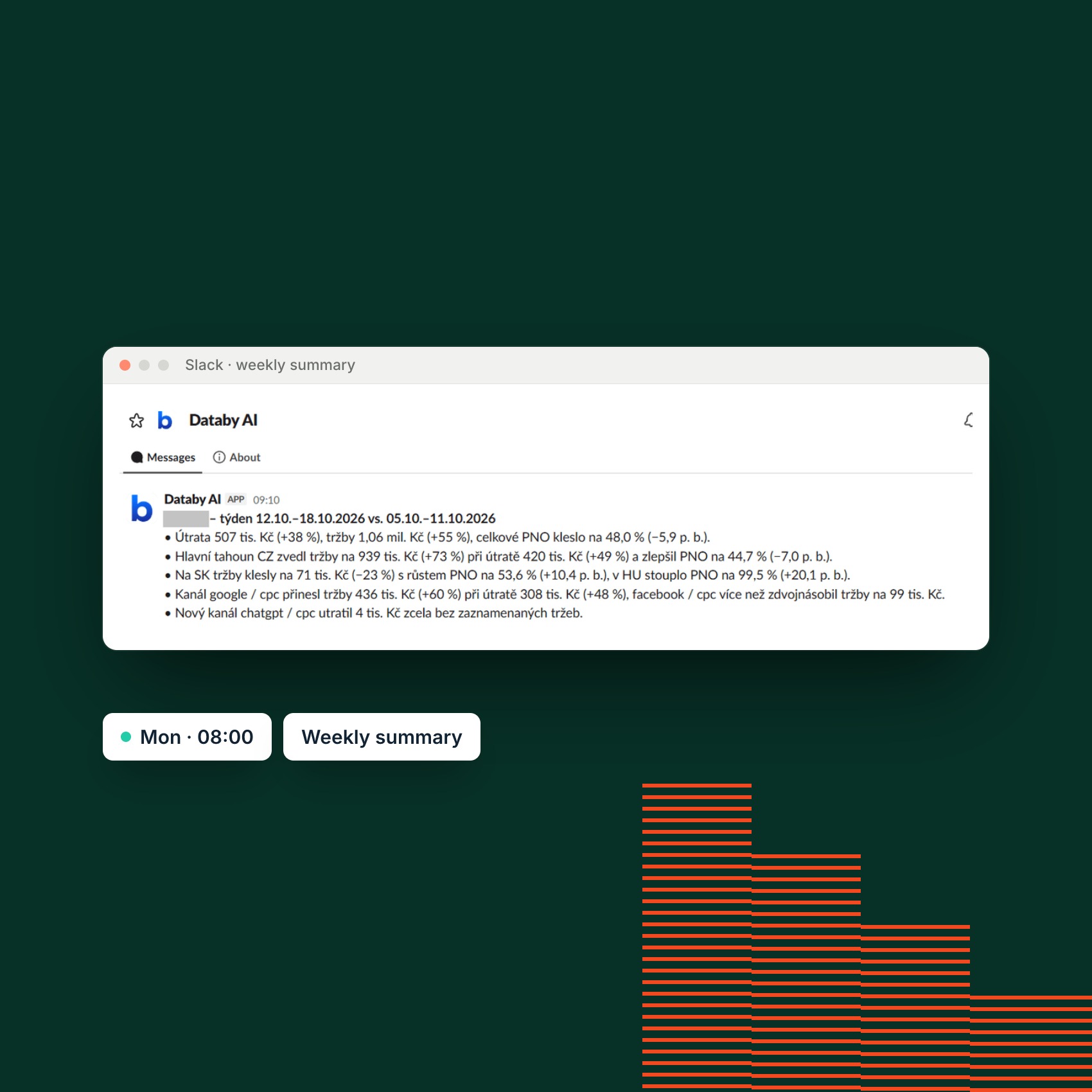
Key numbers in Slack every Monday
Tell us what to watch and how often, and we set up the report straight into Slack or Asana. Every Monday at 8:00 you get a weekly summary of what changed and what deserves attention.
- Ad platforms, GA4 and e‑shop data in one message
- Numbers behind every conclusion
- No dashboard to open
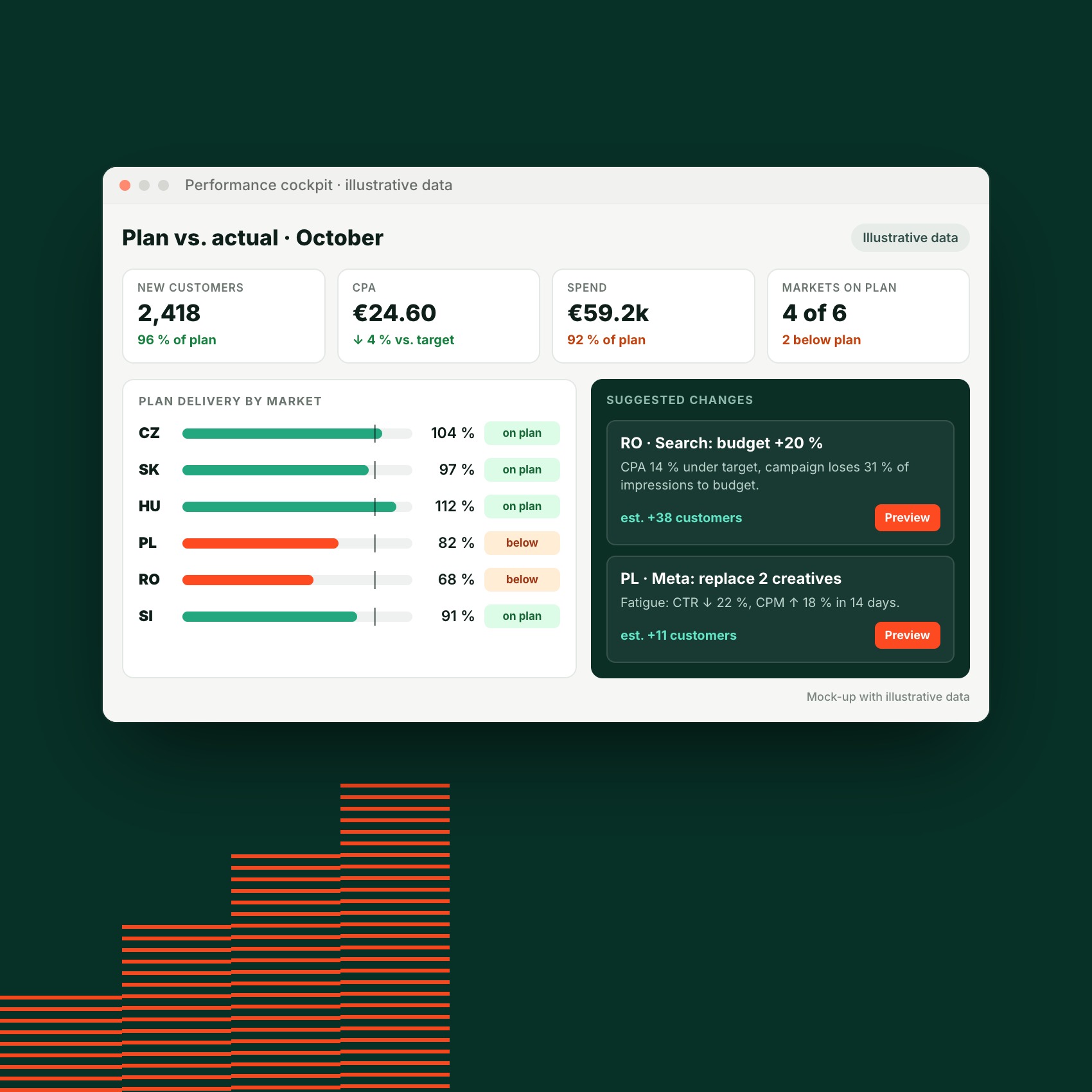
Are we on plan? And where not?
For a client operating in nine markets, we built a cockpit that combines the CRM with ad platforms, GA4 and the media plan. Every morning it shows which markets are on plan, which are not, and why. Suggested changes are ranked by impact.
- Plan versus actual by market, channel and month
- Suggests more budget only where the market hits its target CPA and the campaign loses impressions to budget
- Nothing is pushed to the account without approval
The image shows illustrative data.
Where do AI agents help our team?
Inbound lead handling
The agent reads inquiries from the web form, email, bookings and the website pop-up, checks the company in business registers and prepares a brief. A person always replies.
Result:
- An Asana task with a company brief
- Three reply drafts in different tones
- Nothing is sent without a person
Outside-in tracking audit
Without any access, the agent finds out what a website really sends to ad platforms: pixels, cookie consent and event deduplication. A specialist turns the findings into recommendations.
Result:
- Every finding with evidence: pixel ID, event and URL
- Behavior before and after consent
- Recommendations from a specialist
A page built with an agent
We assembled this page with an AI agent from our website components. The agent prepared the draft, the Czech and English copy and the technical checks, and a person reviewed and approved everything.
Result:
- Blocks from the website component library
- Checks of spelling, links and headings
- Published only after approval
Some tools also work on their own
We run part of our tooling as standalone apps. They grew out of our campaign work.
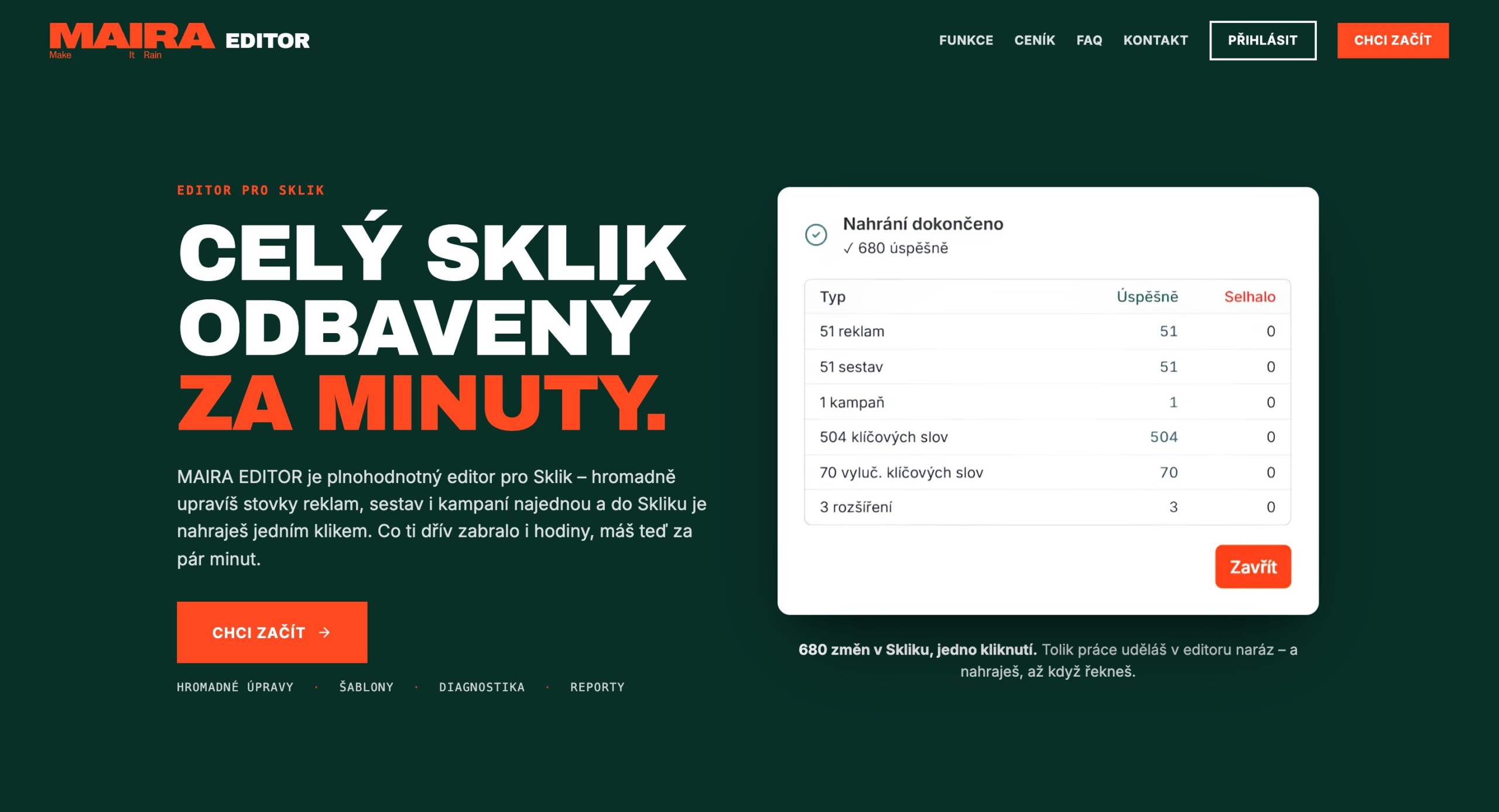
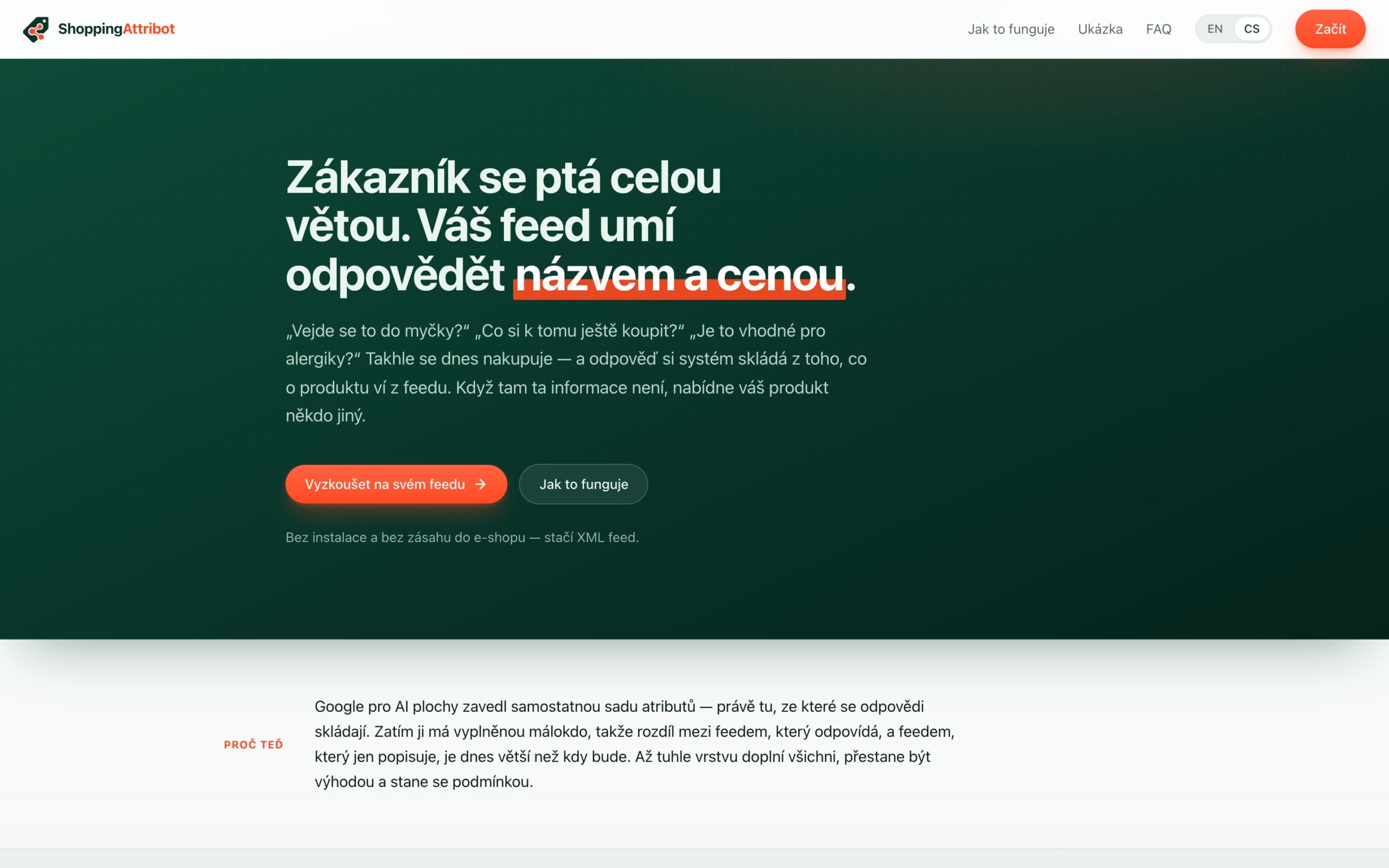
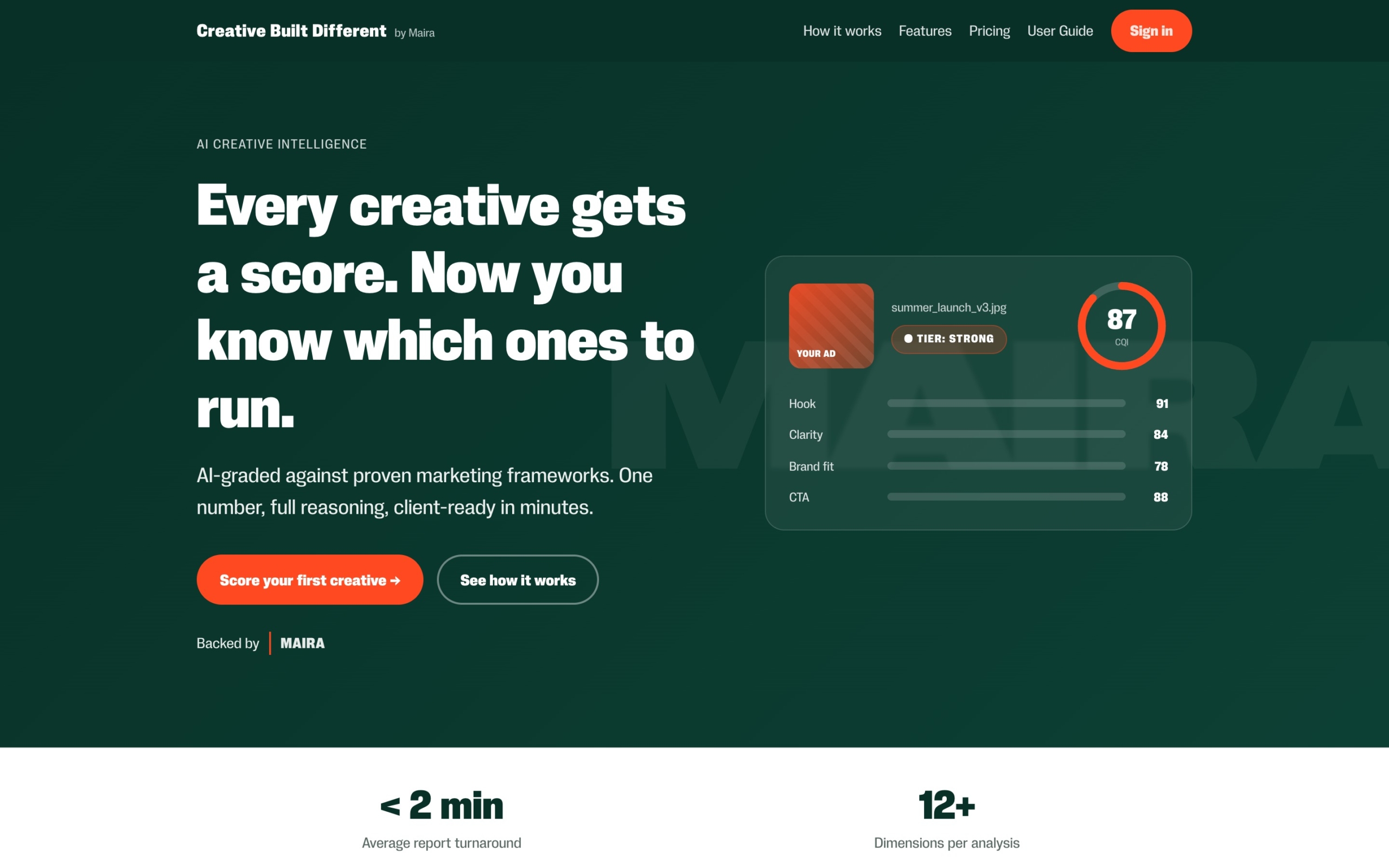
Editor for Sklik bulk-edits ads, ad groups and campaigns and uploads them to Sklik in one click. ShoppingAttribot adds conversational attributes to your product feed for Merchant Center and AI shopping assistants. Creative Built Different scores an ad creative against marketing frameworks and explains the score.

Where automation paid for itself
Three public examples from our work:
- Hundreds of hours saved on PPC structure: scripted campaign generation for a large catalog instead of manual builds.
- A complete product feed revision in a few clicks: FeedGen on a catalog where manual editing would take weeks.
- Conversational attributes in Google Merchant Center: automated enrichment that gets products recommended in AI shopping answers.
Related: E‑commerce marketing, AI Visibility (GEO), Incrementality
-
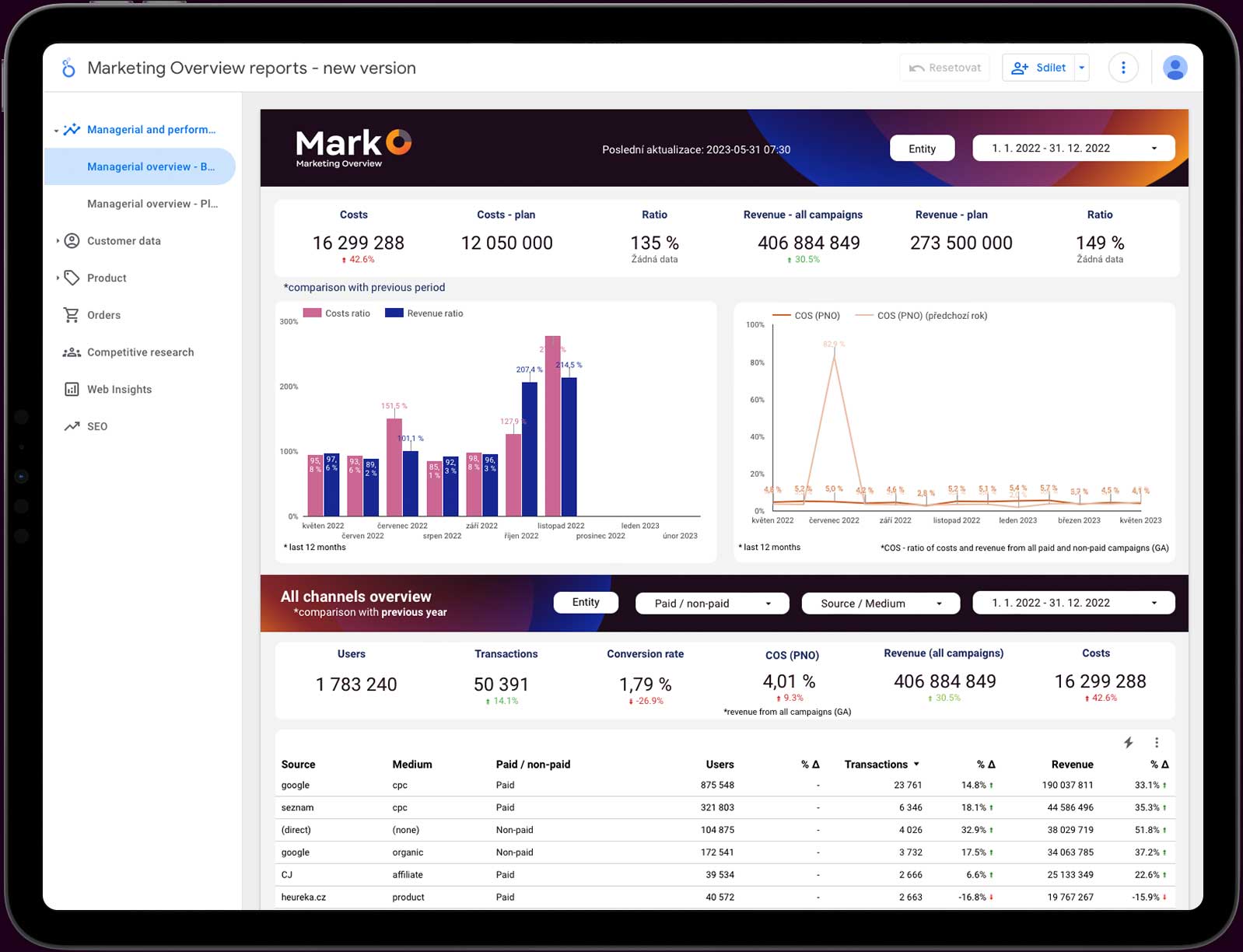
MarkO
All your marketing in one place.No more digging through dozens of spreadsheets. MarkO brings all your marketing data together in one place, including media plans, performance overviews and real-time dashboards.
-
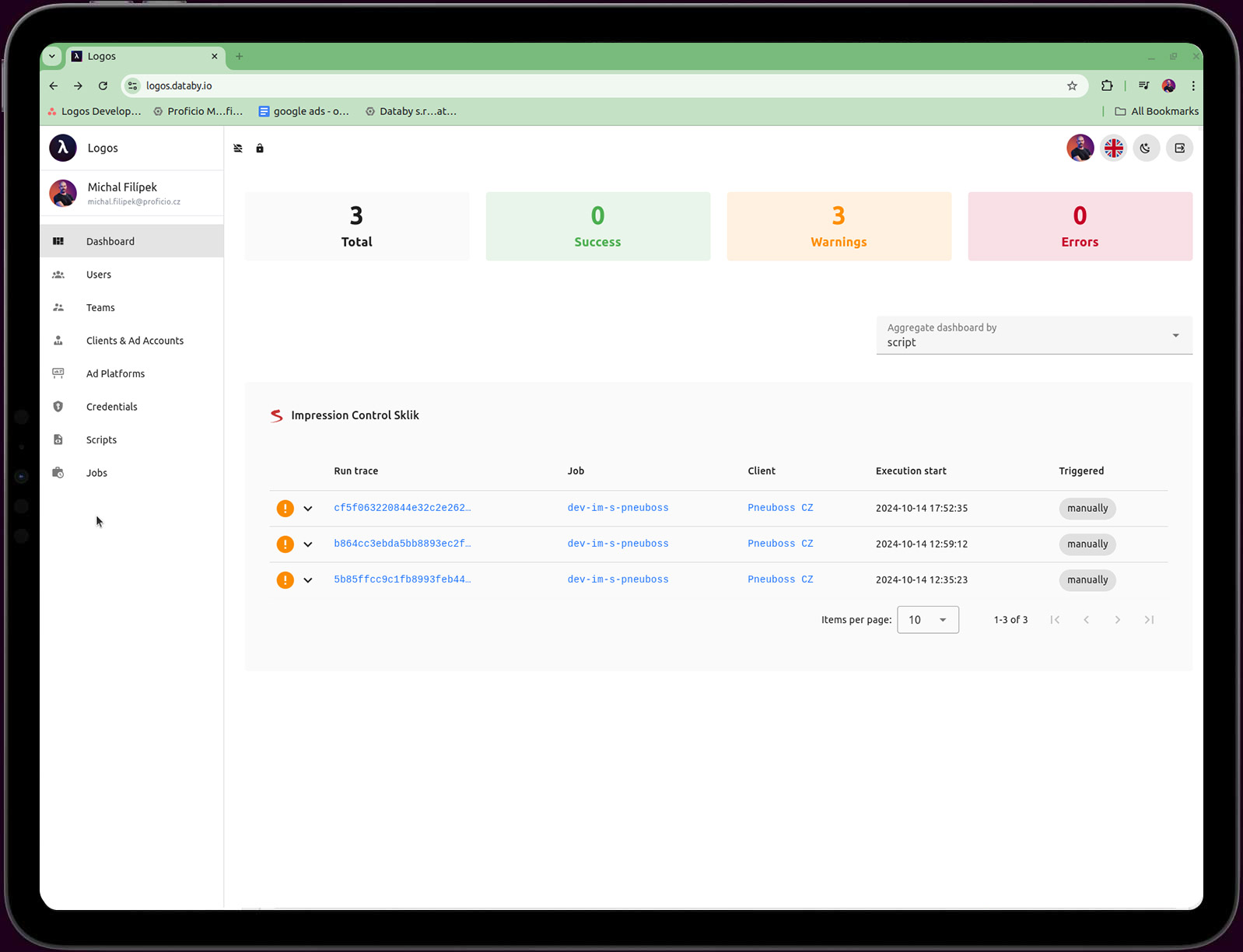
Logos
Scripts & KPI ManagementOur proprietary platform for building and managing custom scripts. Experts monitor key performance indicators automatically, at scale and with precision.
-
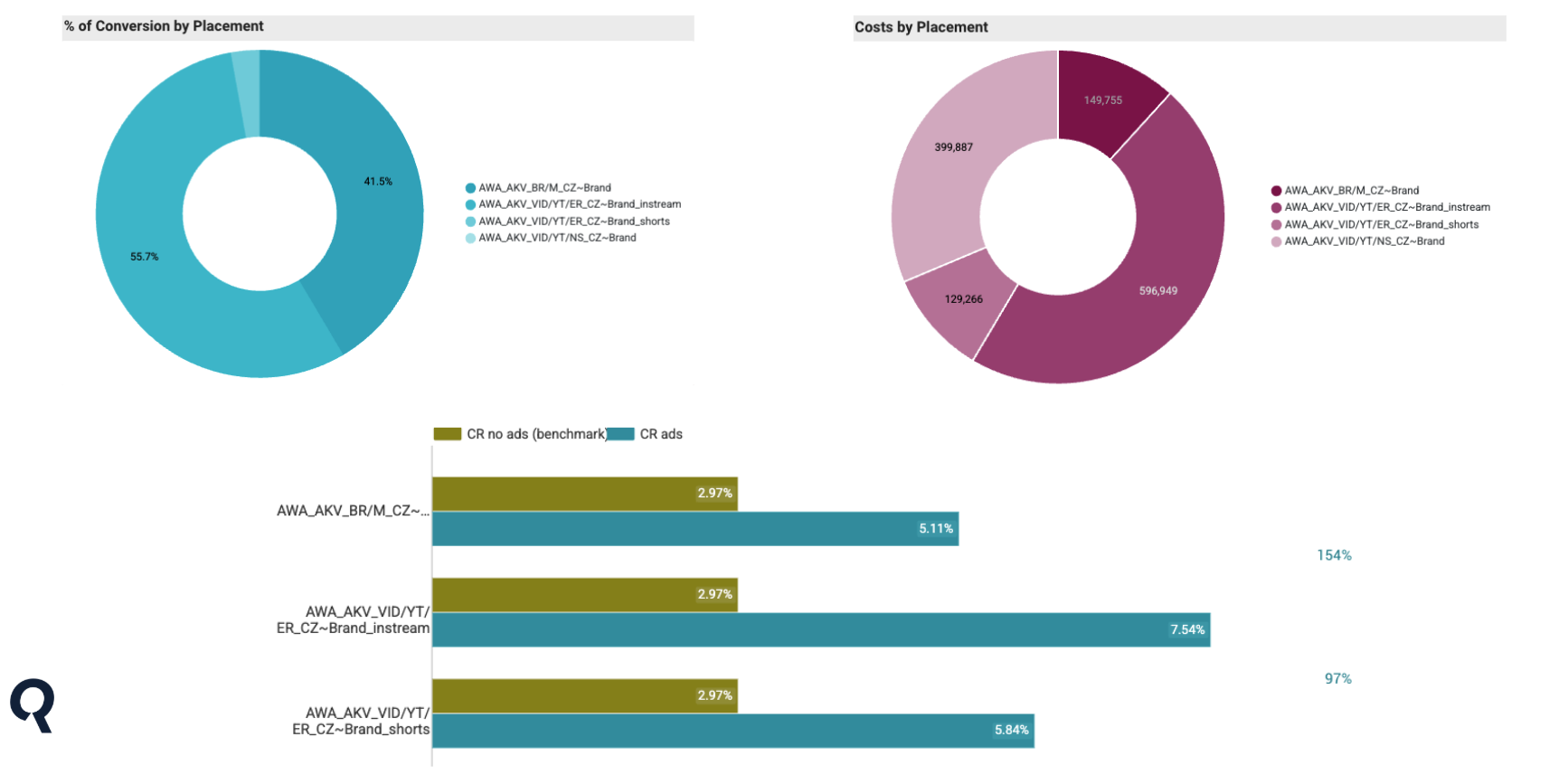
DiagnostIQ
Incrementality measurementMeasure the true incremental impact of any campaign across your entire marketing mix. We quantify what actually drives results.
FAQ
What do you need from us?
Read access to your ad accounts and GA4, and if you want the e‑shop section, an export link from Shoptet. We install nothing on your website or store, change no tracking code and need no admin access.
Where is the data, who sees it?
In Google BigQuery. Customer personal data never reaches the report in readable form, and only the people you choose can access the report.
How often is data refreshed?
Automatically every day. Checks run on top of the data and watch order totals, exchange rates, personal data and sudden jumps in volume.
Is AI on your data live yet?
We use it internally every day on the same data that powers client reports. The client version is in preparation and we would be happy to include you among the first clients. Reporting and the other tools do not depend on it.
How do you prove automation helps?
The same way we measure campaigns: against a control. DiagnostIQ runs holdout or geo-lift tests, and reporting compares the automated setup with the previous baseline on margin, not on activity metrics.
Does it work with our tech stack?
We integrate with Google Ads, Meta, Sklik, GA4, BigQuery, product feeds and CRM. You do not have to run your campaigns with us, the tools work on their own too.
Do you work outside Czechia?
Yes. We work in English with clients across 30+ markets. Integrations with ad and analytics platforms do not depend on the market.
How much does it cost?
It depends on the number of projects, connected sources and tools you choose. Get in touch, we will go through your data and you will get a specific offer.

WANT TO SEE IT ON YOUR DATA?